
2026 R4 Jobpac Release
Taxable Payments Reporting (TPR) Flag lock-down at Subcontract Level
Protect the Taxable Payments Reporting flag from accidental changes during subcontract processing.
Overview
Following our recent feature to lock down the TPR flag at the AP Invoice level, now the Taxable Payments Reporting (TPR) flag can also be locked down at the Subcontract Level.
This prevents users from accidentally changing the TPR flag while processing and ensures that the default coming from Creditor Setup is maintained.
This can help EOY TPR preparations, where additional inclusions or exclusions can also be maintained.
Parameter Setup
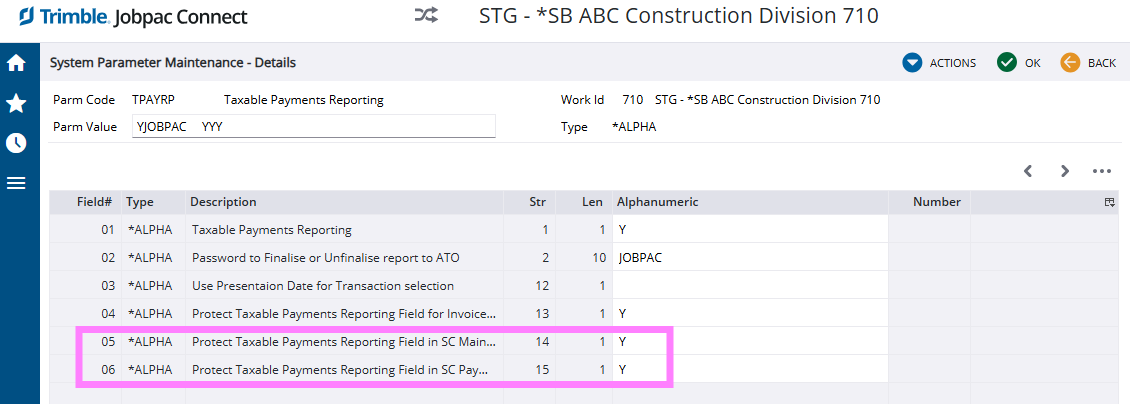
To activate the protection of the TPR flag while processing subcontracts, set up the following parameter positions...
- System parameter TPAYRP position 14
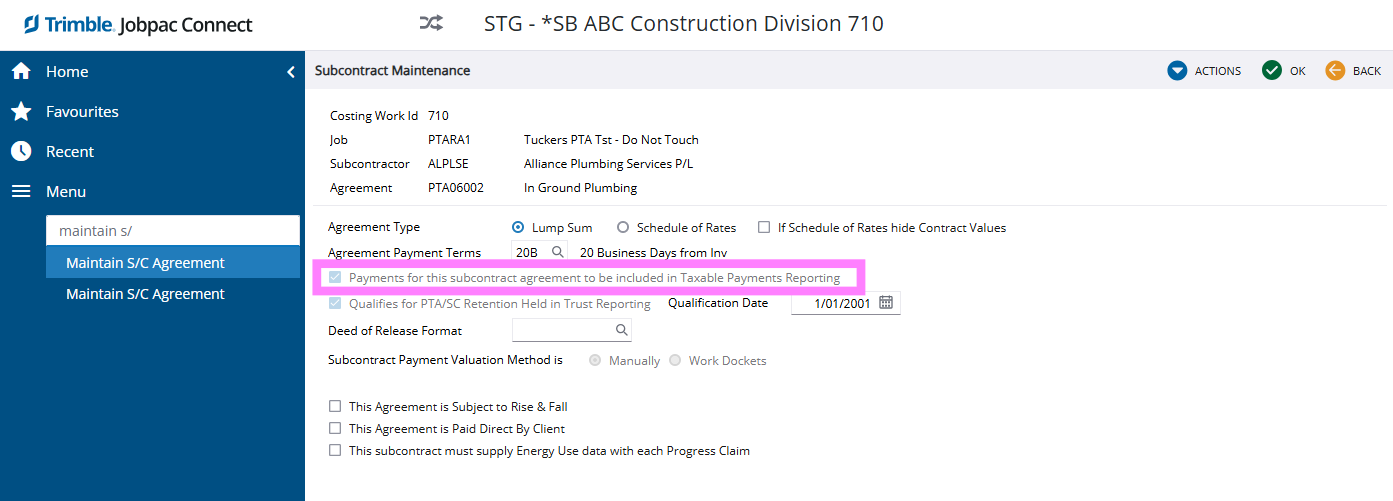
- Y = Protect Taxable Payments Reporting Field in SC Maintenance
- Blank and N = allow edit of the flag
- System parameter TPAYRP position 15
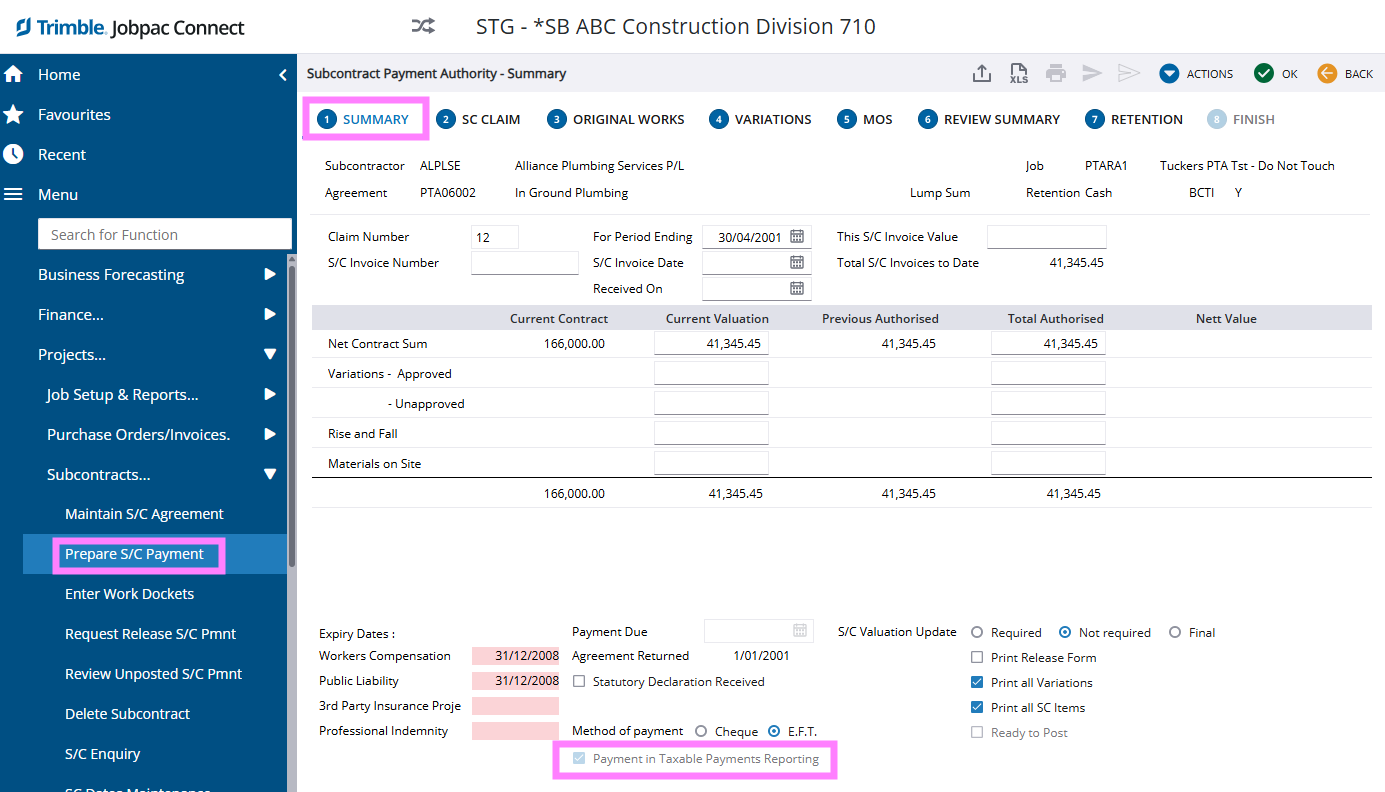
- Y = Protect Taxable Payments Reporting Field in SC Payments
- Blank and N = allow edit of the flag
Important
Parameter Setup Screen
Subcontract Agreement Setup Screen
Subcontract Payment Authorisation Summary Screen
Comments
Article is closed for comments.